
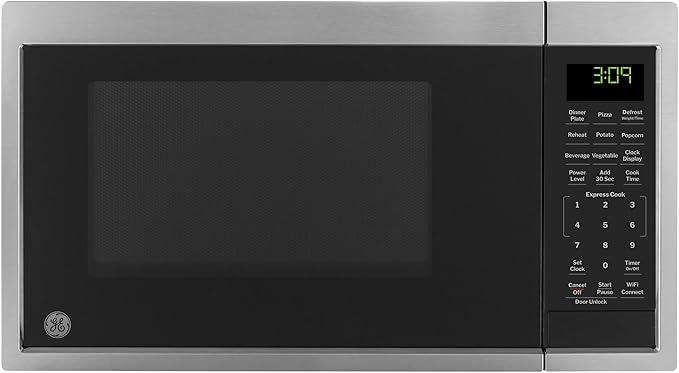

Overview of GE Smart Countertop Microwave Oven
The GE Smart Countertop Microwave Oven represents a significant leap from traditional kitchen appliances, blending reliable heating technology with modern connectivity. No longer just a box for reheating leftovers, these smart units are designed to integrate into a fully connected home ecosystem. By utilizing built-in Wi-Fi and advanced sensors, GE has transformed the microwave into a hands-free, precision cooking tool that fits right on your kitchen counter.
What Makes GE Smart Microwaves Smart?
A GE microwave earns its “smart” label through several key integration features that streamline the cooking process:
- Voice Control Integration: You can pair the microwave with Amazon Alexa or Google Assistant. This allows you to start the oven, add time, or stop the cycle using simple voice commands—perfect for when your hands are messy or full.
- SmartHQ App Connectivity: Through GE’s proprietary SmartHQ app, you can monitor your cooking progress remotely, receive notifications when your food is ready, and even troubleshoot technical issues directly from your smartphone.
- Scan-to-Cook Technology: This is a standout feature that takes the guesswork out of frozen meals. By scanning the barcode of a food package with your phone, the microwave automatically adjusts its power levels and cook times to match the manufacturer’s instructions.
Table of Contents
Who Should Buy a GE Smart Countertop Microwave?
While these appliances are versatile, they are particularly well-suited for specific types of users:
- The Tech-Savvy Homeowner: If you already have a “smart home” setup with connected lights and thermostats, this microwave is the logical next step for your kitchen.
- Busy Parents and Professionals: The ability to scan a barcode or use voice commands saves those precious seconds during a frantic morning or a late-night dinner.
- Users with Accessibility Needs: For individuals with limited mobility or visual impairments, voice control provides a level of independence and ease of use that traditional buttons cannot offer.
Key Benefits at a Glance
| Feature | Primary Benefit |
| Wi-Fi Connectivity | Monitor and control your appliance from any room via smartphone. |
| Precision Cooking | Sensor technology prevents overcooking by detecting steam and adjusting time. |
| Hands-Free Operation | Use voice assistants to manage cooking without touching the interface. |
| Space-Saving Design | High-tech features packed into a compact footprint that fits most countertops. |
More reviews on Kitchen Tech Gadgets
Key Features of the GE Smart Countertop Microwave Oven
The “smart” in GE’s smart microwaves isn’t just a buzzword—it’s a suite of functional tools designed to eliminate the most common kitchen frustrations: guessing cook times and managing appliances with messy hands. Below are the two standout features that define this appliance.
Voice Control with Alexa & Google Assistant
The integration with Amazon Alexa and Google Assistant turns your microwave into a hands-free sous-chef. By connecting the microwave to your home Wi-Fi via the SmartHQ app, you can execute a wide range of commands from across the room.
- Hands-Free Convenience: Simply say, “Alexa, microwave for two minutes” or “Hey Google, add 30 seconds to the microwave.” This is a lifesaver when you are mid-prep and your hands are covered in flour or water.
- Precision Commands: You aren’t limited to just time. You can ask your assistant to “Defrost a pound of chicken” or “Melt two tablespoons of butter,” and the microwave will automatically select the correct power level.
- Status Updates: You can ask your smart speaker how much time is left on the timer, allowing you to stay productive in another room without constantly checking the kitchen.
Scan-to-Cook Technology
Perhaps the most innovative feature is Scan-to-Cook. It solves the age-old problem of squinting at tiny font on frozen food boxes only to have the edges overcook while the middle stays frozen.
- How it Works: Using the SmartHQ app on your smartphone, you simply scan the barcode of your packaged food. The app identifies the product from a database of over 3,000 items (including popular brands of frozen pizzas, entrees, and snacks).
- Automated Programming: Once scanned, the app sends the exact, manufacturer-recommended cooking instructions—including multi-stage power levels—directly to the microwave.
- Consistency: Because the instructions are tailored to the specific wattage of your GE model, your food comes out perfectly heated every time, removing the “trial and error” often associated with microwave cooking.
Wi-Fi Connectivity & Smart App Control
The heart of the GE Smart Microwave experience is its built-in Wi-Fi, powered by the SmartHQ app. This connectivity transforms the microwave from a static appliance into a dynamic, remote-controlled device.
- Remote Monitoring: Using the SmartHQ app on your smartphone, you can check how much time is remaining on your cook cycle from any room in the house.
- Instant Notifications: Instead of listening for a distant “beep,” you’ll receive a push notification on your phone (or even your smartwatch) the moment your food is ready.
- App-Exclusive Features: The app is where you’ll manage the Scan-to-Cook database and access SmartHQ Assistant for quick answers to maintenance questions or troubleshooting without needing to dig through a paper manual.
- Software Updates: Because it’s connected to the cloud, your microwave can receive “over-the-air” updates, potentially gaining new features or improved performance profiles over time.
Sensor Cooking Technology
GE integrates advanced steam sensors to take the guesswork out of reheating. Unlike traditional microwaves that run on a set timer regardless of how the food is reacting, sensor cooking “feels” the progress.
- Moisture Detection: As food heats, it releases steam. The built-in sensors detect these moisture levels and automatically adjust the cooking time and power level in real-time.
- Perfect Results: This technology is specifically designed to prevent the two most common microwave sins: “rubberized” overcooked edges and frozen centers. It is ideal for delicate items like fish, fresh vegetables, and baked potatoes.
- Automatic Shut-off: Once the sensor determines the food has reached the optimal internal temperature, the microwave stops the cycle automatically.
Compact Countertop Design
Despite its high-tech capabilities, GE has prioritized a footprint that fits comfortably in most kitchens. The smart series often features a 0.9 to 1.1 cubic foot capacity, making it a “mid-sized” powerhouse.
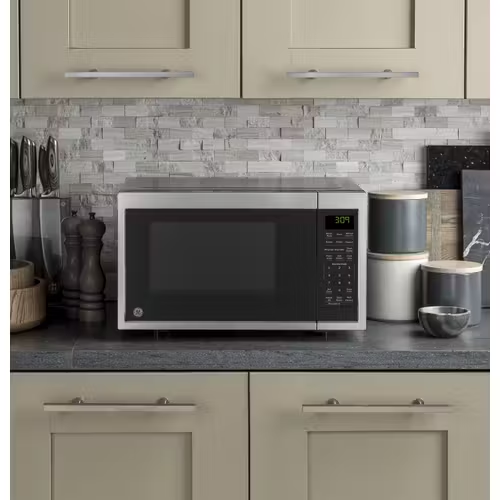
- Space Efficiency: With a typical width of around 19 inches, it sits easily on standard countertops without dominating your prep space.
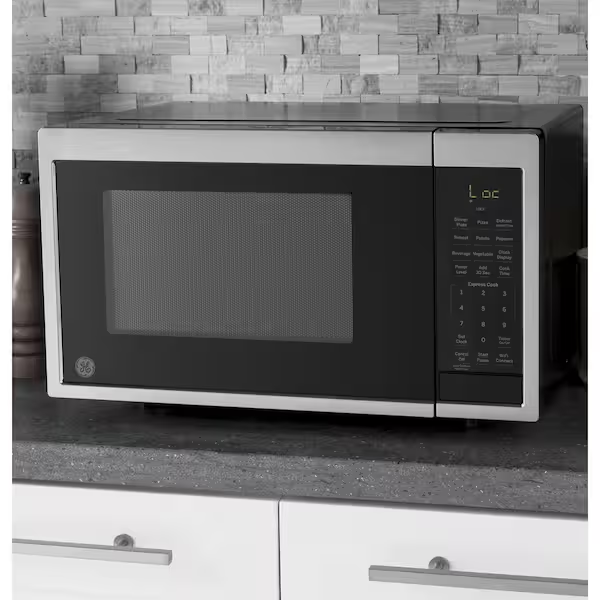
- Modern Aesthetics: Most models feature a sleek stainless steel finish with a dark glass door and a clean LED display, ensuring it complements modern kitchen decors.
- Easy Installation: As a countertop model, there is no complex mounting or venting required—simply plug it into a standard 120V outlet and connect to your Wi-Fi.
Power Levels & Wattage Options
Understanding the power behind the appliance is key to getting the most out of it. Most GE smart countertop models offer 900 to 1,000 watts of cooking power.
- 10 Variable Power Levels: You have full control with 10 distinct power settings. This allows you to go from 100% power for boiling water down to 10% (Warm) for softening butter or keeping a side dish warm without cooking it further.
- Two-Stage Programming: You can program the microwave to cook at one power level for a set time and then automatically switch to a different level (e.g., defrost at 30% then cook at 80%).
- Express Cook: For those in a hurry, the “Instant-On” buttons (usually 1–6) allow you to start cooking for 1 to 6 minutes with a single touch at full power.
Design & Build Quality
GE has managed to strike a balance between high-end technology and rugged durability. The build quality of their smart countertop microwaves feels substantial, avoiding the “flimsy” door feel often found in budget models. Every element, from the hinge tension to the tactile feedback of the buttons, is designed for heavy daily use.
Exterior Finish & Color Options
To ensure these smart appliances blend into any kitchen aesthetic, GE offers finishes that are both stylish and practical.
- Stainless Steel: The most popular option, providing a professional, modern look that matches other high-end appliances.
- Black Stainless: A premium, fingerprint-resistant finish that offers a sleeker, more matte appearance for contemporary kitchens.
- Classic Black & White: For those who prefer a traditional look or need to match existing white or black cabinetry, GE often provides these clean, high-gloss alternatives.
- Easy-to-Clean Surfaces: The exterior is treated to resist smudges, making it easy to wipe down with a damp cloth to maintain its luster.
Interior Capacity & Turntable Size
While the exterior is compact, the interior is optimized to handle standard dinner plates and medium-sized cookware.
- Capacity: Most smart models offer roughly 0.9 to 1.1 cubic feet of space. This is the “Goldilocks” zone—large enough for a standard casserole dish, but small enough to save precious counter space.
- Turntable Diameter: Typically featuring a 10.5 to 11.5-inch glass turntable, these units ensure that your food rotates constantly for even heat distribution.
- Removable Glass Tray: The turntable is dishwasher-safe and sits on a sturdy rotating ring, making it easy to deep-clean spills or splatters.
Control Panel & Display Design
The interface is where the “smart” and “traditional” worlds meet. GE uses a hybrid approach to ensure the microwave is easy to use for everyone in the family.
- LED Display: A crisp, white or green LED display serves as a digital clock when not in use and provides clear, bright countdown timers during cooking.
- Touch-Sensitive Controls: The glass or high-quality plastic touchpads are highly responsive, requiring only a light press. This “hidden-til-lit” or flat-panel style makes the front of the unit very easy to sanitize.
- Intuitive Layout: Even with smart features, the classic buttons remain—like the “Add 30 Seconds” button and the Express Cook numbers. This ensures that if you don’t want to use your phone or voice, you can still operate the microwave like a standard model.
- Child Lock: Most models include a safety lock feature, which can be activated via the control panel or the SmartHQ app to prevent accidental operation by children.
Performance & Cooking Efficiency
When evaluating a microwave, smart features are only as good as the appliance’s ability to actually cook food. GE’s smart countertop models are engineered to provide consistent performance that justifies their place in a modern kitchen.
Heating Speed & Even Cooking
With power ratings typically ranging between 900 and 1,100 watts, GE smart microwaves are designed for rapid heating.
- Consistent Heat Distribution: The combination of a high-quality magnetron and a standard rotating glass turntable ensures that “hot spots” are minimized.
- Intelligent Power Management: Unlike basic models that simply cycle the heat on and off, GE’s technology manages power levels effectively to ensure that a bowl of soup or a plate of leftovers is heated evenly from the edges to the center.
- The Scan-to-Cook Advantage: This feature significantly boosts efficiency. Because the microwave uses manufacturer-specific data to set the time and power, you avoid the common cycle of “cook, check, and cook again,” which often leads to unevenly dried-out food.
Defrosting Accuracy
Defrosting is often where cheaper microwaves fail, frequently “cooking” the edges of frozen meat while the center remains a block of ice. GE addresses this with two specific methods:
- Weight Defrost: By simply entering the weight of the food, the microwave calculates the optimal power pulses needed to thaw the item without raising the temperature enough to actually start the cooking process.
- Time Defrost: For more manual control, the time defrost allows you to set the duration while the microwave automatically manages the low-power cycling.
- User Alerts: To ensure accuracy, the unit will often pause and beep to remind you to “turn or flip” the food, which is critical for even thawing of denser items like ground beef or chicken breasts.
Noise Level During Operation
GE has made strides in making their newer models quieter, though noise levels can vary slightly by wattage.
- Operational Hum: During a standard cook cycle, the microwave maintains a steady, low-frequency hum that is typical for mid-to-high-end appliances. It is generally quiet enough to hold a conversation nearby without straining.
- Fan Ventilation: The cooling fan is efficient and designed to turn off shortly after the cooking cycle ends to minimize lingering noise.
- Mute Options: A highly appreciated “quality of life” feature in many GE models is the ability to silence the beeps. Through the settings or the SmartHQ app, you can often turn off the end-of-cycle alerts—perfect for late-night snacking or early mornings when you don’t want to wake the household.
Smart Features Explained in Detail
The GE Smart Countertop Microwave isn’t just “connected”—it’s designed to actively solve common cooking problems. By offloading the technical decisions (like power levels and timing) to a cloud-based database, it ensures a more consistent result than manual entry.
How Scan-to-Cook Works
Scan-to-Cook is the flagship feature of GE’s smart kitchen line. It acts as a bridge between the food manufacturer’s instructions and your specific microwave’s power settings.
- The Process: You use the SmartHQ app on your smartphone to scan the UPC barcode on a food package (such as a frozen burrito or a pre-packaged bowl of oatmeal).
- The Database: GE maintains a library of over 3,000 food items. Once the app identifies the product, it sends the precise cooking instructions—often including multi-stage cooking (e.g., defrosting first, then high heat)—directly to the microwave.
- Precision: Because manufacturers provide the data based on specific wattages, the “Scan-to-Cook” feature ensures your food isn’t just hot, but cooked exactly as intended, preventing the common “cold center” issue.
Using Voice Commands for Hands-Free Cooking
Once connected to an Amazon Alexa or Google Assistant device, your microwave becomes fully voice-operable. This is particularly useful for accessibility or multitasking. Common commands include:
- Simple Timing: “Alexa, microwave for 2 minutes” or “Hey Google, add 30 seconds to the microwave.”
- Specific Presets: “Alexa, make popcorn” or “Hey Google, reheat 1 cup of coffee.”
- Operational Control: You can tell your assistant to Stop, Pause, or Resume the microwave from another room—a great safety feature if you see something about to boil over.
- Advanced Tasks: You can even use voice for defrosting, such as saying, “Alexa, defrost one pound of ground beef.”
Mobile App Setup & Compatibility
The SmartHQ app (formerly GE Appliances Kitchen app) serves as the central command center for the microwave.
- Device Compatibility: The app is available for both iOS (iPhone) and Android devices. It is optimized for the latest operating systems but remains backward compatible with most modern smartphones.
- The Setup Process:
- Download the SmartHQ app and create an account.
- Find the Wi-Fi password/QR code (usually located on a sticker inside the door frame or on the back of the unit).
- Follow the in-app prompts to pair the microwave to your home 2.4GHz Wi-Fi network.
- Real-Time Alerts: Beyond just controlling the oven, the app provides “Push Notifications.” Your phone will buzz the second the cooking cycle is complete, so you don’t have to keep an eye on the kitchen clock.
Energy Efficiency & Safety Features
Modern kitchen appliances must do more than just cook well; they must also operate safely and efficiently. GE’s smart microwaves incorporate several layers of protection and energy-saving technology to give homeowners peace of mind.
Power Consumption & Energy Use
GE smart microwaves are designed to balance high-performance heating with responsible energy consumption.
- Variable Wattage: Most smart countertop models operate at 900 to 1,050 watts (with a maximum draw of roughly 1350 watts). This range is considered the “sweet spot” for efficiency—powerful enough to heat quickly but not so demanding that it requires a dedicated high-amperage circuit.
- Power Saver Mode: Many models feature a specific Power Saver or Eco Mode. When activated, this reduces the power consumption of the LED display and internal electronics while the unit is in standby, helping to lower your “phantom” energy usage.
- CEC Compliance: Most newer GE units are regulated by the California Energy Commission (CEC), ensuring they meet strict standards for energy efficiency in both operational and standby modes.
Child Lock & Safety Controls
Safety is a top priority for GE, especially in households with curious children. They have implemented a multi-stage approach to prevent accidental use:
- Two-Step Child Lock (Mandatory Safety): Recent GE models (manufactured after early 2024) feature a mandatory two-step door-opening process. While the microwave is running, the door is electronically locked. To open it, you must first press Start/Pause or Cancel/Off before the physical door latch will release.
- Control Panel Lockout: By holding down a specific button (often the “Clear/Off” or a dedicated “Lock” pad) for three seconds, you can completely disable the touchpads. This prevents children from starting a cycle or changing settings while you aren’t looking.
- SmartHQ Alerts: If the microwave is started or the door is opened, you can set the mobile app to send an instant notification to your phone, keeping you aware of kitchen activity even from another room.
Overheating & Auto Shut-Off Protection
To prevent fire hazards and protect the appliance’s internal components, GE integrates several hardware-level safety switches.
- Internal Thermostats: The microwave is equipped with thermoprotectors (thermal fuses) located near the magnetron and the cooking cavity. If these sensors detect temperatures that exceed safe operating limits, they will “trip” and immediately cut power to the unit to prevent a fire.
- Airflow Sensors: If the microwave’s vents are blocked by nearby items or if the unit is placed in a space with inadequate clearance, the system will detect the lack of airflow and shut down automatically to cool off.
- Cooking Complete Reminders: To prevent food from being forgotten and potentially drying out or creating odors, the microwave will emit periodic “reminders” (beeps or phone notifications) until the door is opened.
Installation & Setup Guide
Getting your GE Smart Countertop Microwave up and running is a straightforward process, but taking a few minutes to ensure proper placement and connectivity will improve the appliance’s lifespan and your overall experience.
Countertop Space Requirements
Before unboxing, ensure you have a flat, sturdy surface that can support the unit’s weight (typically between 25 to 35 lbs) and provide adequate airflow.
- Standard Dimensions: Most GE smart models require a footprint of approximately 17–19 inches in width and 13–15 inches in depth.
- Clearance for Ventilation: To prevent overheating, GE recommends at least 3 inches of clearance on the sides and back, and 12 inches of clearance above the unit. Avoid placing it in tight, enclosed cabinets unless they are specifically designed for built-in use with a trim kit.
- Proximity to Outlet: Ensure the microwave is close enough to a standard 120V grounded outlet. Note: GE strongly discourages the use of extension cords, as they can lead to voltage drops that affect cooking performance.
Wi-Fi Setup Instructions
To unlock features like Voice Control and Scan-to-Cook, you must connect the microwave to your home network using the SmartHQ app.
- Download the App: Search for “SmartHQ” in the Apple App Store or Google Play Store and create an account.
- Locate the Credentials: Find the Wi-Fi sticker on your microwave. It is usually located on the inside frame (visible when you open the door) or on the back. It will contain the Network Name (SSID) and Password.
- Enter Pairing Mode: Follow the app’s instructions to put the microwave into “Communication” mode (usually involving holding down the “Remote Enable” or “Wi-Fi” button for 3–5 seconds until the icon flashes).
- Connect: Select your home’s 2.4GHz Wi-Fi network. Note: Most smart appliances require 2.4GHz rather than 5GHz for a more stable long-range connection.
First-Time Use Tips
Before you heat your first meal, follow these quick steps to ensure the unit is ready for daily duty:
- Remove Packaging: Double-check the interior. Manufacturers often tape the turntable or place cardboard inserts near the waveguide cover (the small panel on the inside wall). Remove all of these before powering on.
- Clean the Interior: Wipe the inside and the glass turntable with a damp cloth and mild soap to remove any factory dust.
- The “Water Test”: Place a microwave-safe cup filled halfway with water inside. Heat it on high for 30 seconds. This confirms the magnetron is working correctly and the turntable is rotating smoothly.
- Set the Clock: While the app can often sync the time for you, you can manually set the clock via the control panel so it serves as a reliable kitchen timepiece.
Pros and Cons of GE Smart Countertop Microwave Oven
Deciding whether a smart microwave is right for your kitchen involves weighing the convenience of modern technology against the traditional simplicity of a standard model. Below is a balanced look at the strengths and weaknesses of the GE Smart series.
Advantages
The GE Smart Countertop Microwave offers several clear benefits that elevate it above entry-level appliances:
- Unmatched Convenience: The ability to start or pause the microwave using voice commands is a game-changer for multi-tasking parents or home cooks with messy hands.
- Precision Cooking: Features like Scan-to-Cook and Sensor Technology virtually eliminate the guesswork. This leads to better-tasting food and prevents the common “frozen in the middle, burnt on the outside” results.
- Remote Monitoring: Being able to check the timer from your smartphone or receive a notification when your food is done allows you to step away from the kitchen without worry.
- Sleek, Modern Design: GE’s build quality and finishes (especially the Black Stainless and Stainless Steel) look premium on any countertop and are built to withstand heavy daily use.
- Accessibility: For users with visual or mobility impairments, the voice integration via Alexa and Google Assistant provides a level of independence that tactile-only buttons cannot match.
Limitations
While the technology is impressive, there are a few factors that might be a drawback for some users:
- Price Point: Smart microwaves typically carry a higher price tag than “dumb” microwaves of the same size and wattage. You are paying a premium for the Wi-Fi connectivity and sensor features.
- Tech Learning Curve: While the app is intuitive, setting up Wi-Fi and pairing it with smart speakers may be frustrating for those who aren’t tech-savvy or have an unstable home network.
- Network Dependency: To use the most advanced features (like Scan-to-Cook or Voice Control), you need a reliable 2.4GHz Wi-Fi connection. If your internet goes down, the microwave reverts to being a standard, manual unit.
- App Storage: Using the Scan-to-Cook feature requires keeping the SmartHQ app on your phone, which may not appeal to those who prefer to keep their digital footprint minimal.
- Size Constraints: As a countertop model with a capacity of roughly 0.9 to 1.1 cubic feet, it may be too small for very large families who frequently cook full-sized turkeys or massive casseroles in the microwave.
GE Smart Countertop Microwave vs. Traditional Microwaves
When shopping for a new appliance, the primary question is often: is the “smart” version actually better, or just more complicated? Comparing a GE Smart Countertop Microwave to a traditional manual model reveals significant differences in how you interact with your kitchen.
Smart vs. Manual Controls
The most immediate difference lies in how you input instructions.
- Traditional Microwaves: Rely entirely on a physical keypad. You must manually enter the time and power level for every task. If you’re unsure how long to defrost a pound of meat, you have to guess or consult a manual.
- GE Smart Microwaves: Offer a “hybrid” interface. While they still have a standard keypad for quick use, they add Voice and App controls. Instead of punching in “0-3-0” and “Start,” you can simply say, “Alexa, reheat the coffee,” or scan a barcode to let the cloud decide the settings. It shifts the burden of “knowing” the cook time from the user to the machine.
Price vs. Feature Comparison
There is a clear price-to-feature trade-off when moving into the smart category.
| Feature | Traditional Microwave | GE Smart Microwave |
| Average Price | $70 – $150 | $150 – $250+ |
| Connectivity | None | Wi-Fi (SmartHQ App) |
| Updates | Features are static | Periodic “Over-the-Air” software updates |
| Cooking Logic | Timer-based | Sensor & Scan-to-Cook database |
| Voice Control | No | Yes (Alexa & Google Assistant) |
While a traditional microwave is more budget-friendly, the GE Smart model acts as a long-term investment in convenience, often receiving software improvements over time that a standard model never will.
Convenience & Time-Saving Benefits
In a busy household, the value of a smart microwave is measured in seconds saved and frustrations avoided.
- No More Manual Lookups: With Scan-to-Cook, you save the 30–60 seconds spent reading tiny packaging instructions and manually programming the oven.
- Multitasking Freedom: The ability to start or stop the microwave from another room via voice or phone means you don’t have to drop what you’re doing to “go check the timer.”
- Reduced Errors: Traditional microwaves often lead to “over-cooking” because users default to high power for everything. Smart sensors and automated programs prevent this, saving you the time (and money) spent on ruined or rubbery food.
Customer Reviews & User Feedback
Real-world usage often reveals more than a spec sheet. Based on thousands of user reviews across major retailers, the GE Smart Countertop Microwave generally receives high marks for its innovation, though it is not without some common critiques regarding its modern safety updates.
What Users Love Most
The majority of positive feedback centers on how the “smart” features actually simplify daily life rather than just adding complexity.
- Reliable Voice Integration: Users frequently praise how well the Alexa and Google Assistant integration works. Many reviewers mention that the microwave “actually listens” and executes commands without the lag often found in other smart appliances.
- Precision Heating: The Sensor Cooking feature is a fan favorite. Homeowners note that it is surprisingly accurate at reheating pasta and potatoes without drying them out or leaving cold spots.
- Quiet Operation: Compared to older, traditional models, many buyers are pleasantly surprised by how quiet the fan and motor are during a cook cycle.
- The Mute Function: A small but highly valued feature mentioned in reviews is the ability to turn off all beeps and alerts—a “must-have” for late-night snackers or those with sleeping children.
- Modern Aesthetics: The stainless steel and black stainless finishes receive consistent compliments for looking “premium” and matching other high-end kitchen appliances.
Common Complaints from Buyers
No appliance is perfect, and GE’s move toward smart technology has introduced a few specific pain points for some users:
- The “Lock” Door Mechanism: A common frustration in newer models (2024–2025) is the mandatory child safety lock. Some users find it “annoying” that they have to press a button to unlock the door after a cycle is finished, rather than just pulling the handle.
- Stiff Control Pads: Some buyers have noted that the touch-sensitive buttons on the control panel require a firm press to register. While this prevents accidental starts, it can be a minor inconvenience for some.
- Connectivity Hurdles: While the app works well once set up, some users report difficulty during the initial pairing process, especially if their home router is not set to a 2.4GHz frequency.
- Dim Display: A handful of reviews mention that the LED clock and display can be a bit dim or difficult to read from certain angles in very brightly lit kitchens.
- Internal Paint Peeling: A small percentage of long-term users have reported the white interior paint peeling or bubbling over several years of heavy use, which can lead to sparking if not addressed.
Price, Warranty & Availability
Investing in a smart appliance involves looking at the long-term value, including the initial cost and the protection offered by the manufacturer. GE remains a competitive leader in this space, providing various tiers of smart microwaves to fit different budgets.
Current Price Range
As of 2026, the price of a GE Smart Countertop Microwave depends largely on its cubic footage and specific finish (such as Stainless Steel vs. Black Stainless). On average, you can expect the following pricing:
- Entry-Level Smart Models (0.9 cu. ft.): These typically retail between $170 and $190. They include the essential Wi-Fi and Scan-to-Cook features.
- Mid-Range Smart Models (1.1 to 1.6 cu. ft.): These units generally cost between $200 and $300. These models often feature more advanced sensor cooking and higher wattage.
- Premium / Profile Series (2.2 cu. ft.): GE’s high-capacity smart microwaves or those with convection/air fry capabilities range from $350 to over $450.
Note: You can often find “Winter Sale” or holiday deals that bring these prices down by 15–20% at major retailers.
Warranty Coverage & Support
GE provides a standard protection plan that is consistent across their microwave lineup:
- 1-Year Limited Warranty: This covers the entire appliance for one year from the date of purchase. GE will provide parts and labor free of charge to repair or replace any part that fails due to a defect in materials or workmanship.
- Carry-In Service: For countertop models, warranty service typically requires you to take the unit to an authorized General Electric Customer Care® center.
- Extended Protection: Through GE’s SmartHQ app and their partnership with Bodewell Care (Assurant), owners can purchase extended service plans that cover the appliance for up to 5 years beyond the manufacturer’s warranty.
- Support Channels: GE offers robust digital support, including live chat, a dedicated service line (1-800-GE-CARES), and remote diagnostics performed via the SmartHQ app.
Availability in Canada & Other Markets
GE has a strong global footprint, ensuring that its smart appliance line is accessible in various regions:
- Canada: GE Smart Microwaves are widely available at major Canadian retailers like The Home Depot Canada, Best Buy, Coast Appliances, and Canadian Appliance Source. Prices in Canada typically range from $250 to $450 CAD depending on the model.
- United States: Available at all major big-box stores (Walmart, Lowe’s, Target) and online through Amazon and the official GE Appliances website.
- International Markets: While availability varies, GE (often under the Haier parent company umbrella in some regions) distributes smart kitchen tech across Europe and the Asia-Pacific region. However, features like “Scan-to-Cook” may be localized to specific regional food databases.
Is the GE Smart Countertop Microwave Oven Worth Buying?
After evaluating the technical specs, smart integrations, and real-world performance, the final question remains: does the added technology justify the higher price tag? For most modern households in 2026, the answer depends heavily on your lifestyle and how much you value a connected kitchen.
Best Use Cases
The GE Smart Microwave is not a “one-size-fits-all” appliance. It shines most in these specific scenarios:
- The Busy Family: If you are constantly juggling school schedules and work, the Scan-to-Cook feature is a massive time-saver for frozen snacks and meals. It removes the “guesswork” and ensures the kids can heat food safely and accurately.
- Accessibility Needs: For individuals with limited vision or mobility, the ability to control the oven entirely via Alexa or Google Assistant voice commands is more than a luxury—it is a significant accessibility tool.
- Smart Home Enthusiasts: If you already use the SmartHQ app for a GE refrigerator or laundry suite, adding the microwave creates a unified ecosystem where all your appliance alerts go to one place.
- The “Leftover Lover”: If you primarily use your microwave for reheating, the Sensor Cooking technology ensures that your food retains moisture, making it a better choice than basic timer-based models.
Final Verdict
The GE Smart Countertop Microwave Oven is a highly recommended buy for users who want to modernize their kitchen workflow. It successfully moves the microwave from a “dumb” heating box to an intelligent kitchen assistant.
While the mandatory safety lock and the slightly higher price point may be minor hurdles for some, the benefits of hands-free voice control, precise sensor cooking, and the ever-expanding Scan-to-Cook database make it a standout performer in 2026. If you simply want the cheapest way to pop popcorn, a traditional model will suffice; however, if you want an appliance that actively makes cooking easier and more consistent, the GE Smart series is well worth the investment.
Frequently Asked Questions (FAQ)
To help you decide if this high-tech appliance fits your kitchen routine, we’ve answered the most common questions from prospective buyers.
Does it work without Wi-Fi?
Yes. While the smart features are a major selling point, the GE Smart Microwave functions perfectly as a traditional microwave without an internet connection.
- Manual Operation: You can still use the physical keypad to set cook times, power levels, and use express buttons (like the +30 seconds or popcorn presets).
- Limitations: If you do not connect to Wi-Fi, you simply lose access to the “Smart” ecosystem, including the Scan-to-Cook database, remote app notifications, and voice assistant integration.
Can I use it without Alexa or Google Assistant?
Absolutely. Voice control is an optional feature designed for convenience.
- App Control: You can use the SmartHQ app to scan barcodes or monitor your cooking progress without ever owning a smart speaker.
- Stand-Alone Use: If you prefer not to have a “listening” device in your kitchen, you can ignore the voice setup entirely and interact with the microwave via the tactile buttons on the front panel.
Is it beginner-friendly?
Yes, with a very short learning curve. * Intuitive Design: For those who just want to “press and go,” the interface is laid out like a classic microwave. The numbers 1 through 6 usually act as “Express Cook” buttons, starting the unit immediately with one touch.
- Guided App Setup: The SmartHQ app is designed to walk you through the connection process step-by-step.
- Scan-to-Cook Simplicity: Many beginners actually find the “Scan-to-Cook” feature easier than traditional cooking because it removes the need to understand wattage or power levels—the microwave simply does the thinking for you.